
Download Stake App for Android and iOS (PWA) 2026
The Stake PWA runs directly in your browser with no APK file required and no App Store listing needed. Canadian players get full access to the sportsbook, casino, poker, and live dealer tables from any device. Stake does not offer a classic first-deposit welcome bonus, but active players can access ongoing promotions including a weekly lottery, daily races, bet protection, and sport-specific insurance offers.
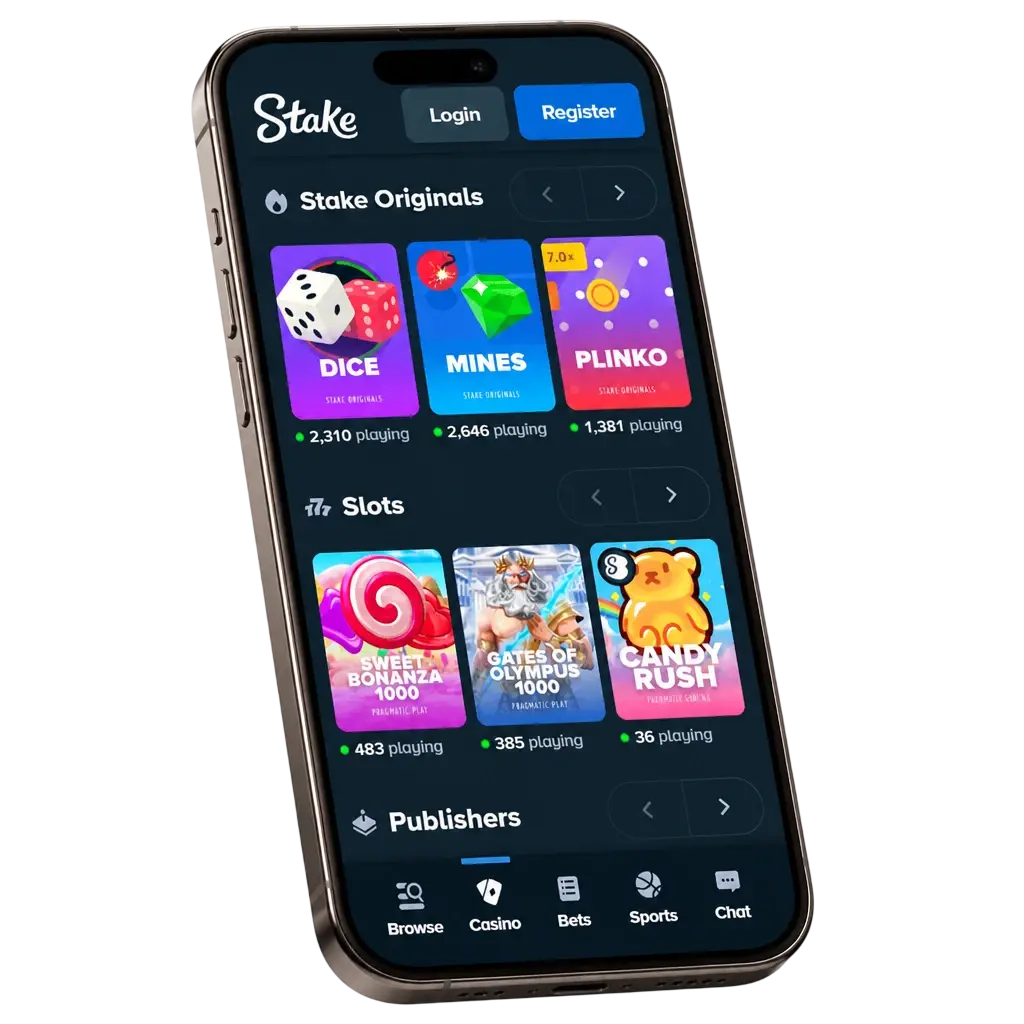
Stake App Overview
The Stake platform is a browser-based PWA built for speed and reliability on both Android and iOS. Canadian players can access more than 5,000 casino games and hundreds of sports markets without downloading a dedicated native application. The table below outlines everything you need to know before getting started.
| App Category | Casino, Sportsbook, and Poker PWA |
| Developer | Medium Rare N.V. (registration number: 145353, Seru Loraweg 17 B, Curaçao) |
| Payment Agents | Medium Rare Limited and MRS Tech Limited |
| License | Curaçao eGaming (License No. OGL/2024/1451/0918) |
| Supported OS | Android, iOS |
| Latest Version | PWA (auto-updated, 2026) |
| Release Date | 2017 (PWA continuously updated) |
| Download Cost | Free |
| App Languages | English, French, Spanish, Portuguese, and 10+ more |
| Supported Countries | 100+ countries (geo-restrictions apply; Canada supported) |
| Welcome Bonus | No classic welcome bonus; weekly lottery (~103,000 CAD prize pool), daily races (~132,000 CAD), and sport insurance promotions |
| Bet Types | Singles, Accumulators, System Bets, Live Bets |
| Customer Support | 24/7 Live Chat and Email ([email protected]) |
A Clean, Intuitive Interface Built for Mobile Play
The Stake mobile interface is built on a dark-themed design that keeps focus on the content, whether you are browsing sports markets or switching between casino categories. Navigation is structured across a fixed bottom menu bar, placing the sportsbook, casino, promotions, and account sections within one tap at all times.
Install the Stake PWA on Android in 5 Steps
The Stake PWA installs directly from your mobile browser in under two minutes. No APK download from third-party sources is required, and no Android settings need to be changed to allow unknown sources. Do not look for the software in the Google Play Store — installation is available only through the official website. Follow the five steps below to add the app to your Android home screen.
Step 1: Tap the Android Download Button on This Page
Tap the “Download App for Android” button to open the Stake website in Google Chrome. No APK file download is required. Use Google Chrome, as it supports PWA installation.
Step 2: Log In or Create Your Account
Log in with your existing credentials or register a new account to continue.
Step 3: Open the Browser Menu
Tap the three-dot menu icon in the top-right corner of Chrome to reveal the installation options.
Step 4: Select ‘Add to Home Screen’
Tap “Add to Home Screen” from the browser menu, then tap “Add” to confirm and place the PWA shortcut on your home screen.
Step 5: Launch the App and Start Playing
Once the shortcut is installed and you are logged in, you can place sports bets, spin casino slots, join poker tournaments, or join live dealer tables immediately.
Android Devices Compatible with the Stake PWA
The Stake PWA runs on Android devices using Google Chrome. Before release, the client was tested on dozens of smartphone models and demonstrated stable performance without errors or crashes. The table below lists popular Android brands and supported models.
| Brand | Compatible Models |
|---|---|
| Samsung | Galaxy A12, A14, A21s, A32, A54 5G, S22, S23, S24, A53, A54, A35 |
| Sony | Xperia 1 V, Xperia 5 V, Xperia 10 V |
| Huawei | P50 Pro, Mate 50 Pro, Nova 11 |
| OnePlus | 11, 12, Nord 3, Nord CE 3 |
| Oppo | Find X6 Pro, Reno 10, A98 |
| Pixel 7, Pixel 8, Pixel 8 Pro, Pixel 9, Pixel 10 | |
| Xiaomi | Xiaomi 11, 13, 13T Pro, Redmi Note 13, POCO X5 Pro |
| Poco | POCO X5, POCO F5, POCO M5 |
If your device is not on this list, you can still install the Stake PWA. Check the minimum system requirements against your device specifications.
Android System Requirements for the Stake PWA
The Stake PWA is lightweight and does not require high-end hardware. A stable internet connection is recommended for live casino and live betting streams.
| Requirement | Specification |
|---|---|
| Operating System | Android 6.0 (Marshmallow) or higher |
| RAM | 1 GB minimum |
| Storage Space | Minimal (PWA shortcut; approximately 2 MB) |
| Browser | Google Chrome 80+ or equivalent Chromium browser |
| Processor | 1 GHz or higher |
Install the Stake PWA on iOS in 5 Steps
iPhone and iPad users can add the Stake PWA to their home screen using Safari in under two minutes. Apple does not allow casino PWA installations through the App Store, so Safari is the correct and only required tool. Do not visit the App Store or third-party websites to download the client.
Step 1: Tap the iOS Download Button on This Page
Tap the “Download App for iOS” button to open the Stake website in Safari on your iPhone or iPad.
Step 2: Log In or Register Your Account
Enter your login details or sign up for a new account directly within Safari to proceed.
Step 3: Tap the Share Button in Safari
Tap the Share icon at the bottom of the Safari browser bar to open the iOS sharing sheet.
Step 4: Select ‘Add to Home Screen’
Scroll through the sharing options, tap “Add to Home Screen,” then tap “Add” in the top-right corner to confirm.
Step 5: Open the App and Start Exploring
The Stake icon now appears on your iOS home screen; tap it, log in, and begin betting on sports, playing casino games, or joining poker tournaments right away.
Apple Devices Compatible with the Stake iOS PWA
The Stake PWA is fully compatible with all iPhone and iPad models running iOS 14.0 or later, covering devices released from 2019 onward. Safari on iPadOS also supports the full PWA feature set, including push notifications and home screen installation. The table below lists Apple’s currently supported lineup.
| Brand | Compatible Models |
|---|---|
| Apple | iPhone SE (2nd gen and later), iPhone 12, 13, 14, 15, 16 series; iPad (9th gen and later); iPad Air (4th gen and later); iPad Pro (2020 and later); iPad mini (6th gen and later) |
iOS System Requirements for the Stake PWA
The Stake PWA on iOS is optimised for Safari and requires no additional browser installation. Any iPhone or iPad running iOS 14.0 or later with 64 GB of total device storage and at least 100 MB free can run the platform without performance issues. A minimum 4 Mbps internet connection is advised for live dealer and in-play betting content.
| Requirement | Specification |
|---|---|
| Operating System | iOS 8 or higher |
| RAM | 1 GB minimum |
| Storage Space | Minimal (PWA shortcut; approximately 2 MB) |
| Browser | Safari (required for Add to Home Screen functionality on iOS) |
| Processor | 1 GHz or higher |
A minimum 4 Mbps internet connection is advised for live dealer and in-play betting content.
Stake on PC: Full Browser Access with No Software to Install
Canadian players can access the full Stake platform on any Windows, macOS, or Linux desktop by navigating to the site in a modern browser such as Chrome, Firefox, Edge, or Safari. The desktop layout expands the navigation to a full sidebar, displaying sports markets, casino categories, and live events simultaneously without switching screens. No dedicated PC software or client download is needed at any point.
The sportsbook displays full odds columns, live match trackers, and bet slip management in a multi-column layout designed for larger screens. Casino games on desktop load at higher visual resolutions where the title supports it, benefiting players on monitors of 1080p and above.
If your smartphone is not powerful enough or you prefer not to install the mobile application, you can play directly in your browser. The Stake website has a responsive design and automatically adjusts to your screen size. All key features remain available: bonus activation, deposits, withdrawals, customer support access, and more.
App vs Web Version: What to Choose
You do not have to choose between the Stake web version and the mobile application — you can play in both formats.
| Application (PWA) | Web Version |
|---|---|
| Accelerated interface | No installation required |
| Navigation adapted for small screens | Works on any operating system |
| Quick launch via home screen shortcut | Does not take up device memory |
| Advanced settings | No strict hardware requirements |
If you play regularly and spend a lot of time on Stake, installing the PWA provides smoother and more convenient performance. If you play occasionally or your device has limited specifications, the browser-based web version is the optimal choice.
Bonuses and Promotions Available on the Stake Mobile App
Stake does not offer a conventional first-deposit welcome bonus with wagering requirements. Instead, Canadian players have access to an ongoing reward programme that includes:
- Weekly lottery. Receive one lottery ticket for every ~1,320 CAD wagered on slots and sports. At the end of each week, a prize pool of approximately 103,000 CAD is drawn and shared among 15 randomly selected winners during a live broadcast using a random number generator.
- Daily races. Join a daily tournament with a total prize pool of approximately 132,000 CAD. Place sports bets to qualify for the leaderboard. Your rank depends on wagering turnover. Prizes are awarded to the top 5,000 participants of the day.
- Bet protection (Stake Shield). Partially insure an accumulator bet by covering a certain number of losing selections. A reduced fixed odd applies in exchange. This tool lowers risk and adds strategy flexibility.
- UFC insurance. When betting on any UFC fight, receive a refund if your selection loses by split decision. Refund amounts range from approximately 7 to 330 CAD within the promotion terms.
- Tennis bonus. Applies to ATP and WTA tournaments. If a bet on the match winner loses in a deciding-set tiebreak, a refund is issued within the established limits.
Rakeback, reload offers, and the Stake VIP Club remain available alongside these promotions. You can also subscribe to Stake’s official communities on social media and messengers — promo codes for exclusive bonuses are published there regularly.
How to Register a Stake Account via the PWA
Registration through the mobile PWA takes under three minutes and requires only basic personal details. All fields are mobile-optimised for touchscreen input. Follow the steps below.
- Open the Stake PWA using the download button on this page and tap “Register.”
- Enter a valid email address and create a secure password for your account. Alternatively, register quickly via Google, Facebook, or Kick — personal details may sync automatically.
- Provide your username, date of birth, and confirm you are 19 years of age or older, as required in Canada.
- Select your preferred language and currency from the available options, which include CAD and major cryptocurrencies such as BTC, ETH, and LTC.
- Agree to the Terms of Service and confirm that you accept the platform rules. Tap “Create Account” to complete registration.
How to Log In to Your Account via the Stake App
Logging in through the Stake PWA takes under 30 seconds. Follow the steps below.
- Open the Stake PWA from your home screen shortcut or by navigating to the site in your mobile browser.
- Tap “Login” in the top-right corner of the screen.
- Enter the email address linked to your account, followed by your password.
- If two-factor authentication is enabled, enter the six-digit code from your authenticator app when prompted.
- Tap “Sign In” to access your account, your balance, and all platform sections immediately.
Keeping the Stake App on the Latest Version
One of the advantages of the PWA version is that it does not require manual updates. All new features, games, bonuses, and other functionalities appear in the app automatically — immediately after being added to the website. You do not need to download or install anything additionally. You will always have access to the latest version of Stake.
If you have the PWA shortcut installed on your home screen, simply tap it and the latest version loads directly. The current build is version 1.3.2.
Why Running the Latest Stake PWA Version Protects Your Account
Each Stake PWA update delivers the most current 256-bit SSL encryption protocols, ensuring your login credentials and payment data remain protected against emerging vulnerabilities. New versions also introduce performance improvements that reduce page load times and eliminate display bugs that can affect live betting accuracy. Security patches are deployed on the server side the moment they are approved, meaning your protection upgrades the instant you open the app. Staying on the latest version also ensures you see the most up-to-date odds and promotions without cached data from older sessions interfering.
How to Place a Bet on the Stake App
Open the Stake PWA
Open the Stake PWA from your home screen shortcut or browser and log in to your account.
Navigate to the Sportsbook
Navigate to the Sportsbook section and select your preferred sport, league, or event from the left-side menu.
Add Selection to Bet Slip
Tap the odds of your chosen outcome to add it to your bet slip, then enter your stake amount in CAD or your selected cryptocurrency.
Review and Confirm Your Bet
Review the potential payout displayed on the bet slip, then tap “Place Bet” to confirm.
How to Remove the Stake PWA from Your Device
On Android, press and hold the Stake icon on your home screen, then drag it to the “Remove” or “Uninstall” option that appears at the top of the screen. On iOS, long-press the Stake icon, tap “Remove App,” and confirm by selecting “Delete from Home Screen.” No account data is deleted by removing the PWA shortcut; your balance and history remain fully intact in your account.
Core Features of the Stake Mobile App
The Stake PWA covers every functional area of the platform without requiring a native application. Canadian players get access to more than 5,000 casino games, live in-play betting across 40-plus sports, multiplayer poker tournaments, and a complete account management suite from a single browser-based interface. New betting events for dozens of sports are added daily, with the total number exceeding 1,000 events per day across prematch and live markets.
Deposits and withdrawals are processed through cryptocurrency with no additional steps compared to the desktop site. Push notifications keep you informed of bet settlements and promotions. The platform’s VIP system tracks your activity and adjusts rewards automatically without any manual opt-in required.
Pros of the Stake Mobile App:
- All gambling options are available — casino games, poker, and sports betting markets.
- The interface is adapted for small smartphone screens.
- Quick launch using a home screen shortcut.
- Does not take up significant memory space.
- No high-end hardware required.
Cons of the Stake Mobile App:
- Installation takes a few minutes the first time.
- No downloadable native app in the App Store or Google Play.
Live Betting on the Stake App
The Stake sportsbook delivers live in-play betting across more than 40 sports, including NHL hockey, NBA basketball, CFL football, and UFC events, all highly relevant to Canadian bettors. Odds refresh in under one second during active matches, keeping your bet slip data current without manual page reloads.
The live betting interface displays a match tracker for major football, tennis, and basketball events, showing real-time score updates alongside the odds panel. Markets per live event typically exceed 50 options, covering player props, next goal scorer, set winner, and quarter-by-quarter totals. Live streaming is available for selected events directly within the sportsbook, with no external application needed.
The bet slip processes single, accumulator, and system bets simultaneously, and cash-out functionality is available on qualifying live markets. Bet settlement notifications are pushed to your device within seconds of the event concluding.
Popular sports and tournaments on the Stake PWA:
- eSports: Dota 2, CS2, League of Legends, Valorant.
- Ice Hockey: NHL Regular Season, Stanley Cup Finals, IIHF World Championship.
- Basketball: NBA Regular Season, NBA Playoffs, Toronto Raptors markets, FIBA World Cup.
- Football: CFL Regular Season, Grey Cup, NFL Super Bowl, NFL Playoffs.
- Soccer: UEFA Champions League, English Premier League, MLS, FIFA World Cup.
- Tennis: Wimbledon, US Open, Roland Garros, Australian Open, Rogers Cup.
- MMA: UFC Numbered Events, UFC Fight Night, Bellator MMA, PFL, ONE Championship.
- Cricket: ICC Cricket World Cup, IPL, The Ashes, Big Bash League.
Casino Games on the Stake Mobile Platform
The Stake casino catalogue contains more than 5,000 titles, covering slots, table games, live dealer games, and Stake Originals developed exclusively in-house. Games load directly in the mobile browser within two to four seconds on a 4G or Wi-Fi connection, with no buffering screens or separate app launches required.
Stake Originals such as Crash, Plinko, Dice, and Mines are available 24 hours a day with provably fair algorithms that any player can verify independently. The live casino section features more than 200 live dealer tables, including blackjack, roulette, baccarat, and game show titles from Evolution Gaming and Pragmatic Play Live. Third-party slots are sourced from providers including Pragmatic Play, Hacksaw Gaming, Nolimit City, NetEnt, Push Gaming, and Relax Gaming.
Table limits on live blackjack start at 1 USD equivalent and extend to 10,000 USD equivalent per hand, accommodating both low-stakes and high-roller Canadian players. All casino games are accessible from the same mobile interface as the sportsbook and poker section, with no separate login required. Most slots can also be tested in free demo mode.
Casino Game Categories in the Stake PWA
Games are organised into categories for easier navigation:
- Exclusive: titles available only on Stake.
- New: recently added releases from top providers.
- Slots: the full slot catalogue.
- Live dealers: games streamed from provider studios.
- Game shows: live formats such as wheel-of-fortune shows.
- Quick games: instant-result titles with simple rules.
- Increased RTP: slots with RTP mostly 96% and above.
- Bonus Buy: slots where free spins or bonus rounds can be purchased.
- Blackjack, Baccarat, and Roulette: classic table game sections.
Favourite games can be saved for quick access..
Deposit Options on the Stake App
Stake supports cryptocurrency deposits as the primary funding method for Canadian players. Deposits are confirmed on the blockchain and credited to your Stake balance once the required network confirmations are reached, typically within a few minutes depending on the asset. Canadian players can also use third-party cryptocurrency purchase services integrated within the platform.
There are no deposit fees charged by Stake, though standard blockchain network fees may apply. The deposit interface on mobile is identical to desktop, with QR code scanning supported for fast wallet-to-wallet transfers. All deposit addresses are generated fresh for each transaction. The minimum cryptocurrency deposit is equivalent to approximately 1 USD — exact amounts vary depending on the current exchange rate.
| Detail | Information |
|---|---|
| Available Payment Methods | BTC, ETH, USDT, USDC, LTC, SOL, DOGE, BCH, XRP, TRX, BNB, DAI, Chainlink, Uniswap, Polygon, and other supported cryptocurrencies |
| Minimum Deposit | Equivalent to approximately 1 USD (varies by currency and exchange rate) |
| Maximum Deposit | No stated maximum |
| Transaction Security | 256-bit SSL encryption; blockchain verification |
| Processing Time | Typically within 5 minutes; up to 30 minutes for some cryptocurrencies |
How to Make a Deposit via the App:
- Log in and open the wallet section using the button at the top of the screen.
- Select the deposit function, choose the currency, and select your preferred payment method.
- Enter your wallet details and the amount. For cryptocurrency deposits, copy the casino’s payment address.
- Click the confirmation button. For crypto payments, send the coins to the provided address.
- Wait for the transaction to complete. On average, this takes a few minutes.
Withdrawal Options on the Stake App
Withdrawals on Stake are processed in cryptocurrency. Requests are reviewed and dispatched after submission for accounts with completed KYC verification where required. There are no withdrawal fees applied by Stake, though network fees are deducted from the transferred amount. The withdrawal minimum is set at the equivalent of approximately 1 USD. Processing time ranges from 15 minutes to 24 hours depending on the payment system.
Please note that payment details must belong to you. It is prohibited to withdraw funds to wallets belonging to other people, even close relatives.
| Detail | Information |
|---|---|
| Available Withdrawal Methods | BTC, ETH, USDT, USDC, LTC, SOL, DOGE, BCH, XRP, TRX, BNB, DAI, Chainlink, Uniswap, Polygon, and other supported cryptocurrencies |
| Minimum Withdrawal | Equivalent to approximately 1 USD (varies by currency and exchange rate) |
| Maximum Withdrawal | Subject to VIP tier limits |
| Transaction Security | 256-bit SSL encryption; blockchain verification |
| Processing Time | 15 minutes to 24 hours depending on payment system and network conditions |
How to Withdraw Money via the Mobile App:
- Open the wallet section and select the withdrawal function.
- Choose the currency and click the logo of your preferred payment system.
- Enter the transaction amount and your cryptocurrency wallet details.
- Confirm the payment and wait for it to be processed.
Account and Profile Management on Mobile
The Stake account section on mobile displays your current balance across all supported cryptocurrencies on a single dashboard. Transaction history is stored indefinitely and filterable by date, currency type, and transaction category (deposit, withdrawal, bet, or bonus). Personal details including email address, linked two-factor authentication device, and notification preferences are all editable directly within the mobile profile settings.
The KYC document submission process is accessible from the account menu, allowing Canadian players to upload identity documents by photographing them through the device camera without leaving the app. Session statistics, including total bets placed, wagered amounts, and net result, are displayed in the statistics section of the profile. Account limits for deposits and session durations are configurable in the Responsible Gambling section, accessible from the profile menu at all times.
Push Notifications and Alerts on the Stake PWA
The Stake PWA supports browser-based push notifications on both Android Chrome and iOS Safari (iOS 16.4 and later). Notifications cover bet settlement results, deposit confirmations, withdrawal status updates, and promotion announcements. You can enable or disable specific notification categories individually from the device browser settings.
Delivery reliability depends on your device’s notification permissions and network connectivity, but alerts are dispatched from the Stake server within seconds of the triggering event. Promotional notifications are opt-in only and do not activate without explicit permission from the user. Live event updates, such as score milestones on tracked matches, are available as optional alerts for Canadian sportsbook users.
Security Protocols Built Into the Stake Platform
All data transmitted between your device and the Stake platform is protected by 256-bit SSL encryption and TLS cryptographic protocols, the same standard used by major financial institutions. Account login is secured with optional Google Authenticator two-factor authentication, which generates a new six-digit code every 30 seconds and must be entered alongside your password at each login.
Payment security is enforced through blockchain-level verification for every cryptocurrency transaction. Stake’s provably fair system for Original games allows any player to independently verify the outcome of each round using a cryptographic hash. KYC verification may be required before processing larger withdrawals, confirming the identity of the account holder and preventing fraudulent use. Session data is encrypted end-to-end and is not stored in local browser caches beyond the active session.
Stake complies with the data protection requirements outlined under its Curaçao eGaming licence (No. OGL/2024/1451/0918), including protocols governing how Canadian player data is handled and stored.
App Permissions Required by the Stake PWA
App Permissions Required by the Stake PWA
Because Stake operates as a PWA rather than a native application, it requests only the permissions that browsers are authorised to access, not the broader device-level access that installed apps typically require.
- Notification permission — bet settlement results, deposit confirmations, and promotional alerts.
- Camera access — may be requested during KYC verification when photographing identity documents.
- Location access — optional; may be used to confirm jurisdictional eligibility where required.
- Storage access — limited to saving the PWA shortcut and caching lightweight page data for faster load times.
Microphone and contact permissions are never requested by the Stake PWA at any point. All permission requests are displayed by the browser with clear explanations before any access is granted, and each permission can be revoked at any time through your browser or device settings.
Customer Support via the Stake App
Stake customer support operates 24/7. You can contact the team with any questions or issues related to playing on the platform.
- Live Chat: accessible from any page via the chat icon; typical response within 10 minutes for standard inquiries.
- Email: [email protected] — suitable for complex issues; response may take up to 24 hours.