
Stake Payment Methods for Canadian Players
Stake supports 16 payment options for Canadian players, covering crypto assets including Bitcoin, Ethereum, Tether, Litecoin, Solana, Dogecoin, and Ripple. Minimum deposits start at approximately CAD 1 equivalent in crypto, with no published upper cap on deposits. Withdrawals carry a minimum of roughly CAD 1 equivalent and process within minutes to 24 hours depending on network conditions. No traditional welcome bonus is available at this time.

How to Make a Stake Deposit in Canada
Funding your account at Stake requires a verified account and a compatible crypto wallet. Deposits are processed on-chain, so your wallet must hold sufficient funds to cover both the deposit amount and the applicable network fee.
- Click the Deposit button below: Use the button on this page to reach the cashier. Select your preferred cryptocurrency from the full list of 16 supported assets.
- Copy your unique deposit address: The cashier generates a wallet address specific to your account and selected currency. Copy this address or scan the QR code.
- Send funds from your wallet: Open your personal crypto wallet and paste the Stake deposit address. Enter the amount you wish to transfer and confirm the transaction.
- Wait for network confirmation: Most deposits confirm within a few minutes once the required number of blockchain confirmations is reached. Bitcoin typically requires 1 confirmation, while Ethereum requires 20.
- Check your balance: Once confirmed, the deposited amount appears in your account balance automatically. You can then use funds across the casino or sportsbook immediately.
Stake First Deposit Offer for New Canadian Players
Stake does not currently offer a traditional welcome bonus or deposit match for new players in Canada. No bonus percentage, maximum bonus cap, or wagering requirement applies to first-time deposits at this time.
New accounts can still access Stake Originals, live casino titles, and a full sportsbook covering the NHL, CFL, NBA, and UFC from the moment funds are confirmed. Any future promotional offers will appear directly in the Promotions section of your account after you log in.

Stake Deposit Methods, Limits, and Processing Times for Canada
Stake accepts deposits exclusively in cryptocurrency, giving Canadian players access to 16 digital assets with no fiat gateway. The platform charges zero commission on incoming transactions, so your full deposit amount reaches your balance.
Minimum deposits start at approximately CAD 1 equivalent in crypto. No maximum deposit limit is publicly defined, though very large transfers may be subject to internal review. Funds typically appear within 1 to 30 minutes, depending on blockchain network speed and congestion.
| Deposit Method | Min Deposit (CAD equiv.) | Max Deposit (CAD equiv.) | Deposit Time | Fees |
|---|---|---|---|---|
| Bitcoin (BTC) | ~CAD 1 | No limit | 10–30 min | None |
| Ethereum (ETH) | ~CAD 1 | No limit | 2–10 min | None |
| Tether (USDT) | ~CAD 1 | No limit | 2–10 min | None |
| Litecoin (LTC) | ~CAD 1 | No limit | 2–5 min | None |
| Solana (SOL) | ~CAD 1 | No limit | Under 1 min | None |
| Dogecoin (DOGE) | ~CAD 1 | No limit | 2–5 min | None |
| Ripple (XRP) | ~CAD 1 | No limit | Under 1 min | None |
| Bitcoin Cash (BCH) | ~CAD 1 | No limit | 2–5 min | None |
| TRON (TRX) | ~CAD 1 | No limit | Under 1 min | None |
| Binance Coin (BNB) | ~CAD 1 | No limit | 2–5 min | None |
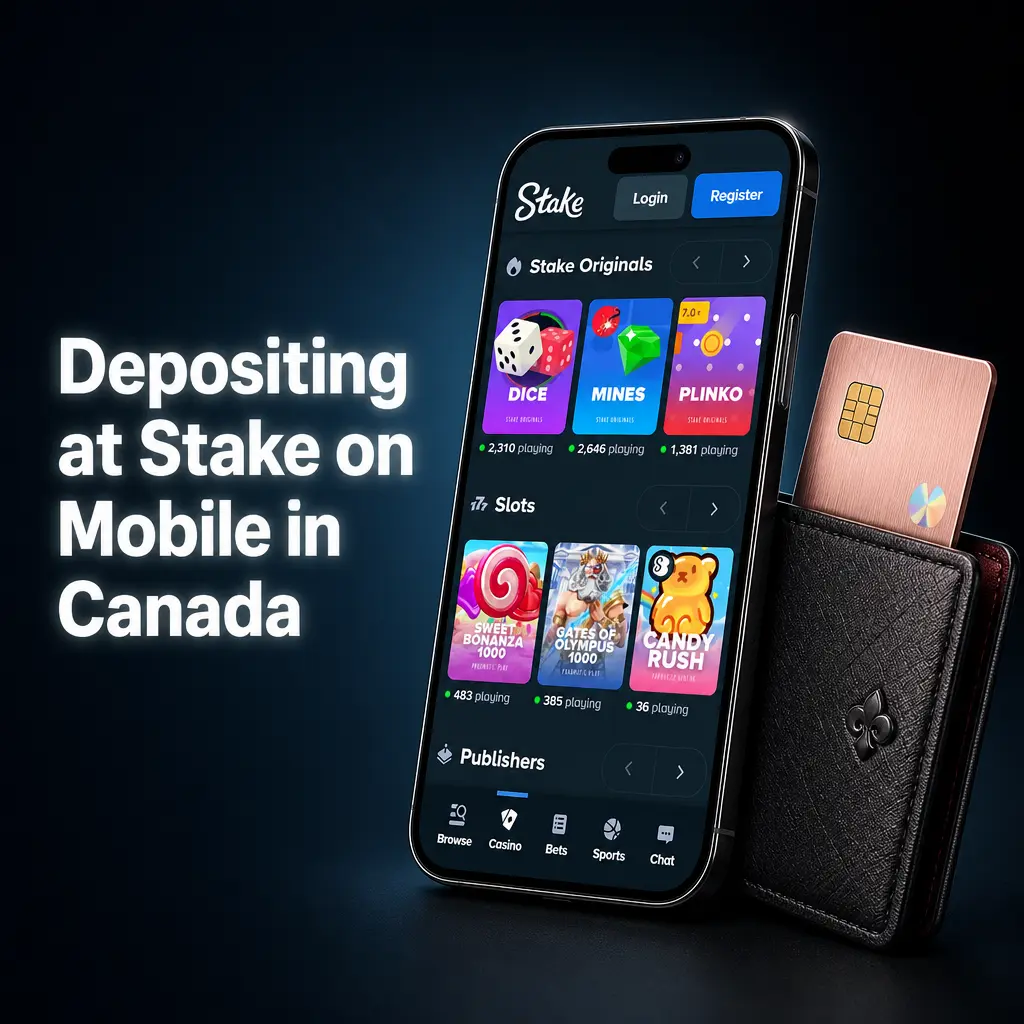
Depositing at Stake on Mobile in Canada
The Stake mobile experience is fully browser-based and works on any iOS or Android device without a separate app download. You need a funded crypto wallet app on your phone and an active Stake account to complete a deposit from your smartphone.
- Open Stake on your mobile browser: Navigate to Stake using the button on this page. Log in to your account and tap the cashier icon in the top menu.
- Select your cryptocurrency: Choose from the 16 available deposit currencies. The cashier displays your unique deposit address and a scannable QR code.
- Switch to your wallet app: Open your crypto wallet on the same device. Use the QR scan function or paste the copied address into the send field.
- Confirm the transaction amount: Enter the deposit amount in your wallet, review the network fee, and authorize the transfer using your wallet’s security method (PIN, biometric, or passphrase).
- Return to Stake and verify the balance: Switch back to your mobile browser session. Your balance updates automatically once the transaction reaches the required number of network confirmations.
How to Withdraw Money from Stake in Canada
Collecting your winnings at Stake requires a verified account and a personal crypto wallet address to receive the funds. Withdrawals can only be sent to wallets that match the currency selected, and the address must belong to you.
- Access the cashier on this page: Use the withdrawal button available on this page to go directly to the cashier. Log in if prompted.
- Select Withdraw and choose your currency: Navigate to the Withdraw tab. Pick the cryptocurrency you want to receive from the supported list of 16 assets.
- Enter your wallet address and amount: Paste your personal wallet address into the recipient field. Enter the withdrawal amount, ensuring it meets the minimum threshold for that currency.
- Complete the security verification: Stake may prompt you to confirm the request via email link or two-factor authentication (2FA) code. Complete whichever verification step is displayed.
- Submit and monitor the transaction: Click confirm to submit the withdrawal request. The transaction is broadcast to the blockchain and typically reaches your wallet within 10 minutes to 24 hours depending on network load.
Stake Withdrawal Methods, Limits, and Timeframes for Canada
Canadian players can withdraw funds in any of the 16 cryptocurrencies supported on the platform. Stake charges no fees on withdrawal requests, though standard blockchain network fees are deducted from the transferred amount by the respective network.
Minimum withdrawals start at approximately CAD 1 equivalent per currency. No hard maximum is published, though large requests may require additional account verification. Average processing time from request to wallet receipt is 10 minutes to 24 hours.
| Payment Method | Min Withdrawal (CAD equiv.) | Max Withdrawal (CAD equiv.) | Withdrawal Time | Fees |
|---|---|---|---|---|
| Bitcoin (BTC) | ~CAD 1 | No limit | 10–60 min | Network fee only |
| Ethereum (ETH) | ~CAD 1 | No limit | 5–30 min | Network fee only |
| Tether (USDT) | ~CAD 1 | No limit | 5–30 min | Network fee only |
| Litecoin (LTC) | ~CAD 1 | No limit | 5–20 min | Network fee only |
| Solana (SOL) | ~CAD 1 | No limit | Under 5 min | Network fee only |
| Dogecoin (DOGE) | ~CAD 1 | No limit | 5–20 min | Network fee only |
| Ripple (XRP) | ~CAD 1 | No limit | Under 5 min | Network fee only |
| Bitcoin Cash (BCH) | ~CAD 1 | No limit | 5–20 min | Network fee only |
| TRON (TRX) | ~CAD 1 | No limit | Under 5 min | Network fee only |
| Binance Coin (BNB) | ~CAD 1 | No limit | 5–20 min | Network fee only |
Withdrawing from Stake on Mobile in Canada
- Tap the cashier button on this page: Use the Withdraw button on this page to access the cashier on your mobile browser. Log in to your account if the session has expired.
- Go to the Withdraw tab: Inside the cashier, select the Withdraw option. Choose the cryptocurrency you want to receive from the 16 available assets.
- Paste your wallet address: Copy your receiving wallet address from your crypto wallet app and paste it into the recipient field. Double-check the address format matches the selected currency.
- Enter the amount and review: Input the withdrawal amount. Confirm it exceeds the minimum threshold for that asset and review the estimated network fee displayed on screen.
- Authenticate and confirm: Complete the 2FA or email confirmation step. Once verified, submit the request. Funds reach your external wallet within 10 minutes to 24 hours.
Stake Payment Rules and Conditions for Canadian Players
All financial transactions at Stake are governed by a clear set of platform rules. Canadian players must meet the following conditions before and during any deposit or withdrawal activity:
- Identity Verification: All accounts must complete KYC (Know Your Customer) verification before large withdrawals are approved. This includes submitting a government-issued photo ID and proof of address dated within 3 months.
- Account Ownership: Deposits and withdrawals must originate from and return to wallets registered in your own name. Third-party wallet transfers are not permitted.
- Currency Consistency: Withdrawals are issued in the same cryptocurrency used for the deposit wherever operationally possible. Currency conversion is handled at the prevailing market rate at time of processing.
- Minimum Thresholds: Each currency carries its own minimum deposit and withdrawal amount. Requests below the stated minimum for that asset are rejected automatically.
- Wagering Requirements on Bonuses: Any future bonus funds credited to your account are subject to specific wagering requirements before withdrawal. The exact multiplier and eligible games are listed in the individual bonus terms at the time of the offer.
Common Payment Issues on Stake and How to Fix Them
Most payment problems on Stake have straightforward solutions. The issues below cover the most frequently reported cases from Canadian players.
- Deposit Not Credited: If your deposit is not visible after 30 minutes, check the transaction hash on a public blockchain explorer such as Etherscan or Blockchain.com. If the required confirmations are complete, contact support with the transaction hash so the team can investigate.
- Withdrawal Delayed Beyond 24 Hours: Withdrawal delays beyond 24 hours are usually caused by a pending KYC review or a high-traffic period on the network. Log in and check the Transactions section for a status update. If the status shows “pending,” contact support directly.
- Incorrect Wallet Address Entered: Crypto transactions are irreversible. If you entered an incorrect wallet address, the funds cannot be recovered. Always paste addresses rather than typing them manually, and verify the first and last 6 characters before confirming.
- Account Withdrawal Limit Reached: Stake may impose temporary limits on unverified accounts. Completing your KYC verification removes these restrictions and restores full withdrawal access.
- 2FA Blocking the Transaction: If you lose access to your 2FA device, use your backup codes to authenticate. If backup codes are unavailable, contact the support team with your account details and identity documents to regain access.
Stake Customer Support for Payment Queries in Canada
Stake provides dedicated support channels for any payment-related issues, available 24 hours a day, 7 days a week.
- Live Chat: Accessible directly inside your logged-in account. Average first response time is under 2 minutes for standard queries;
- Email Support: Reach the support team at [email protected] for detailed or document-heavy requests such as KYC submissions or disputed transactions;
- Help Centre: The Stake Help Centre at help.stake.com contains a searchable library of articles covering deposits, withdrawals, verification, and account security;
- Community on Stake Forums: The built-in Stake forum allows players to post questions and receive responses from moderators and community members familiar with the platform.